App Store Keywords: You Only Get 160 Characters
Open App Store Connect right now and look at your app’s metadata.
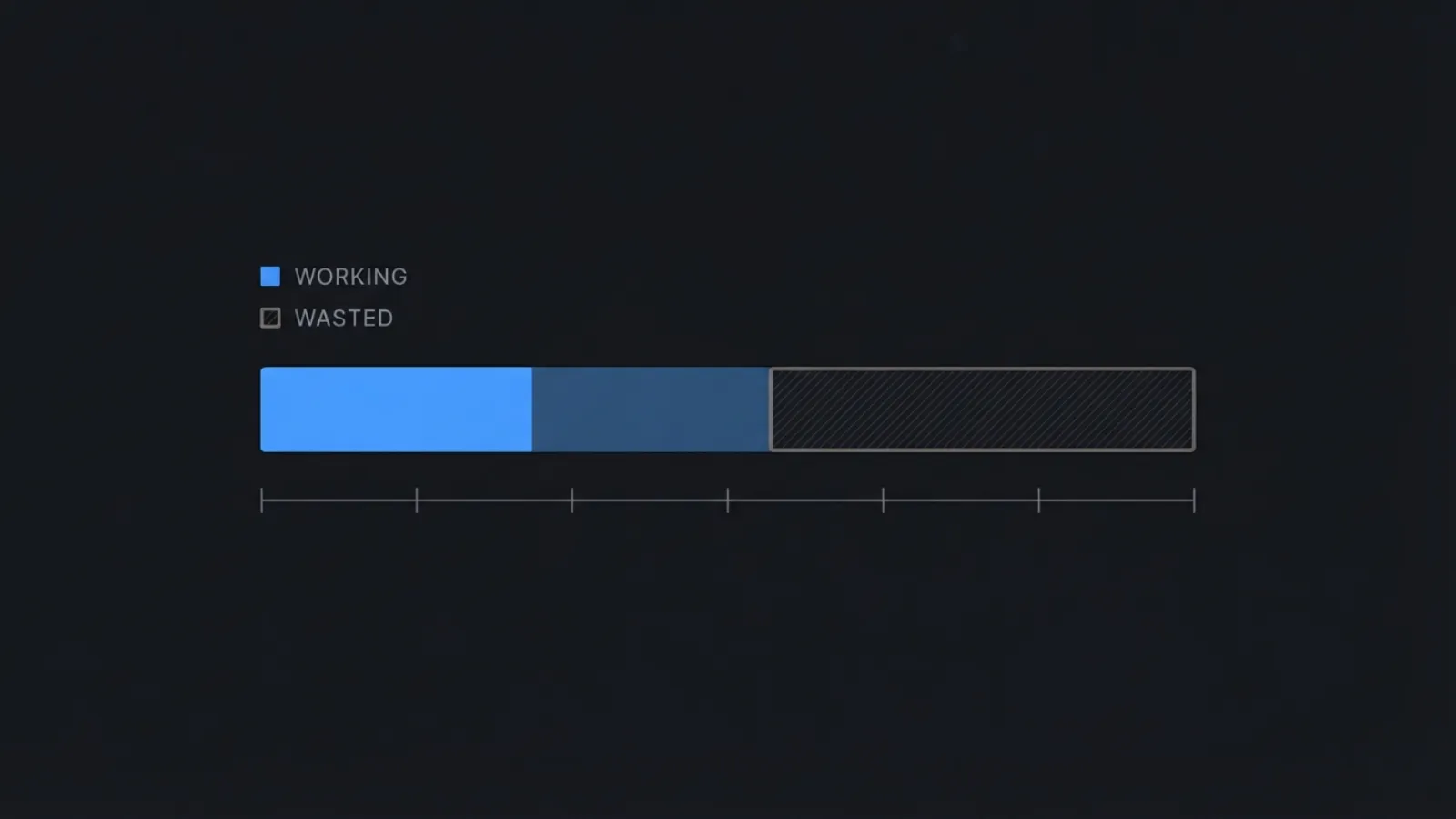
App name: 30 characters. Subtitle: 30 characters. Keyword field: 100 characters. That’s 160 characters of indexable surface — the only text Apple actually reads when deciding whether your app shows up for a search.
Now count how much of it is doing work.
If your keyword field contains phrases like “expense tracker” or “photo editor,” you’re wasting characters. If your best keyword appears in your title and your subtitle and your keyword field, you’re wasting more. If you left your secondary localization empty, you left an entire second keyword field on the table.
Open five apps in your category and read their metadata. Almost none of them are using all 160 — duplicated words and multi-word phrases eat the rest. Not because anyone is lazy, but because they’re optimizing for a search engine that doesn’t work the way they think it does.
Here’s what’s actually happening, and the three changes that follow from it.
Why search is the whole game
This isn’t a marginal channel. Apple’s own published figures, citing 2022 App Store data: 70% of App Store visitors use search to discover apps, and almost 65% of downloads happen directly after a search.
Not featuring. Not Top Charts. Not your follower count. Search.
Which means those 160 characters are, for most indie apps, the single highest-leverage text you will ever write. More than your landing page. More than your screenshots. And unlike screenshots, you can fix them tonight.
Wrong assumption #1: Apple matches phrases
It doesn’t. Apple combines your individual words into phrases for you.
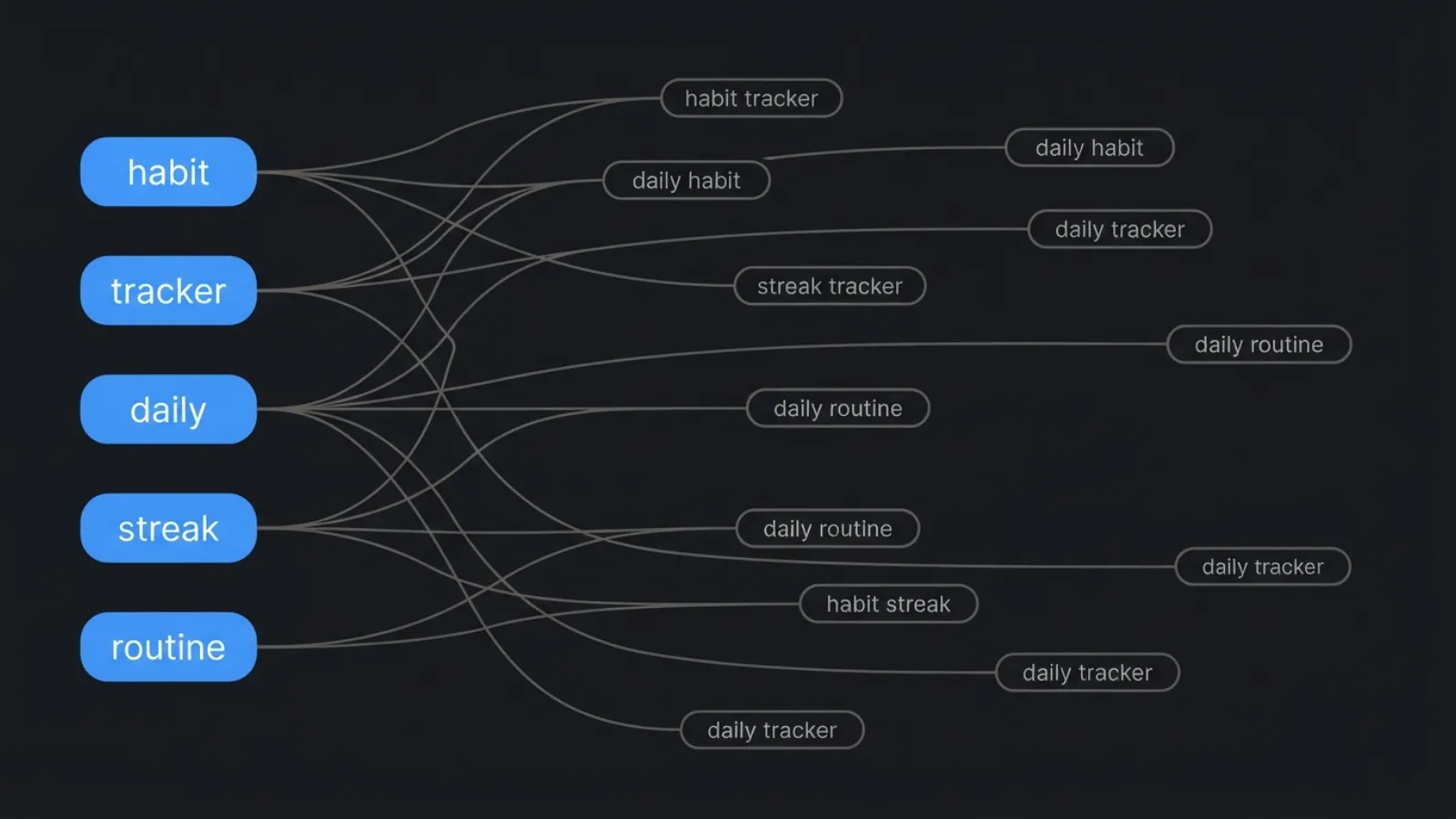
If your keyword field says habit,tracker,daily,streak,routine, Apple will rank you for “habit tracker,” “daily habit,” “streak tracker,” “daily routine,” and a pile of other permutations you never typed. You supplied five words. The index generated dozens of queries.
Now look at what most devs write instead:
habit tracker,daily streak,daily habit trackerSame intent. Roughly triple the characters. Zero additional coverage. The word “daily” is sitting in that field three times, and Apple counts it once. What you want is:
habit,tracker,daily,streak,routineWhat to do: strip every multi-word phrase out of your keyword field. One word per comma. No space after the comma — that space is a character, and you’re paying for it.
Wrong assumption #2: Repetition adds weight
It doesn’t. Apple reads your app name, subtitle, and keyword field as one combined pool. A word that appears in your title does not need to appear again anywhere else. It gains you nothing.
This is where the real waste lives. Devs put their money keyword in the title for emphasis, then repeat it in the subtitle “to be safe,” then add it to the keyword field “just in case.” Three slots burned on one word.
The same applies to plurals. Apple handles singular and plural matching. “photo” covers “photos.” Adding both is a rounding error you’re paying for in a 100-character budget.
What to do: write your title. Write your subtitle. Then open your keyword field and delete every word that already appears in either one. Fill the reclaimed space with words that appear in neither.
Wrong assumption #3: One localization is enough
This is the biggest free win in the whole exercise, and almost nobody uses it.
A single storefront can index multiple localizations. If you’re live in a non-English market and you fill in a secondary localization, that second set of 30/30/100 fields gets indexed for that same storefront. You just doubled your keyword surface. Cost: one afternoon.
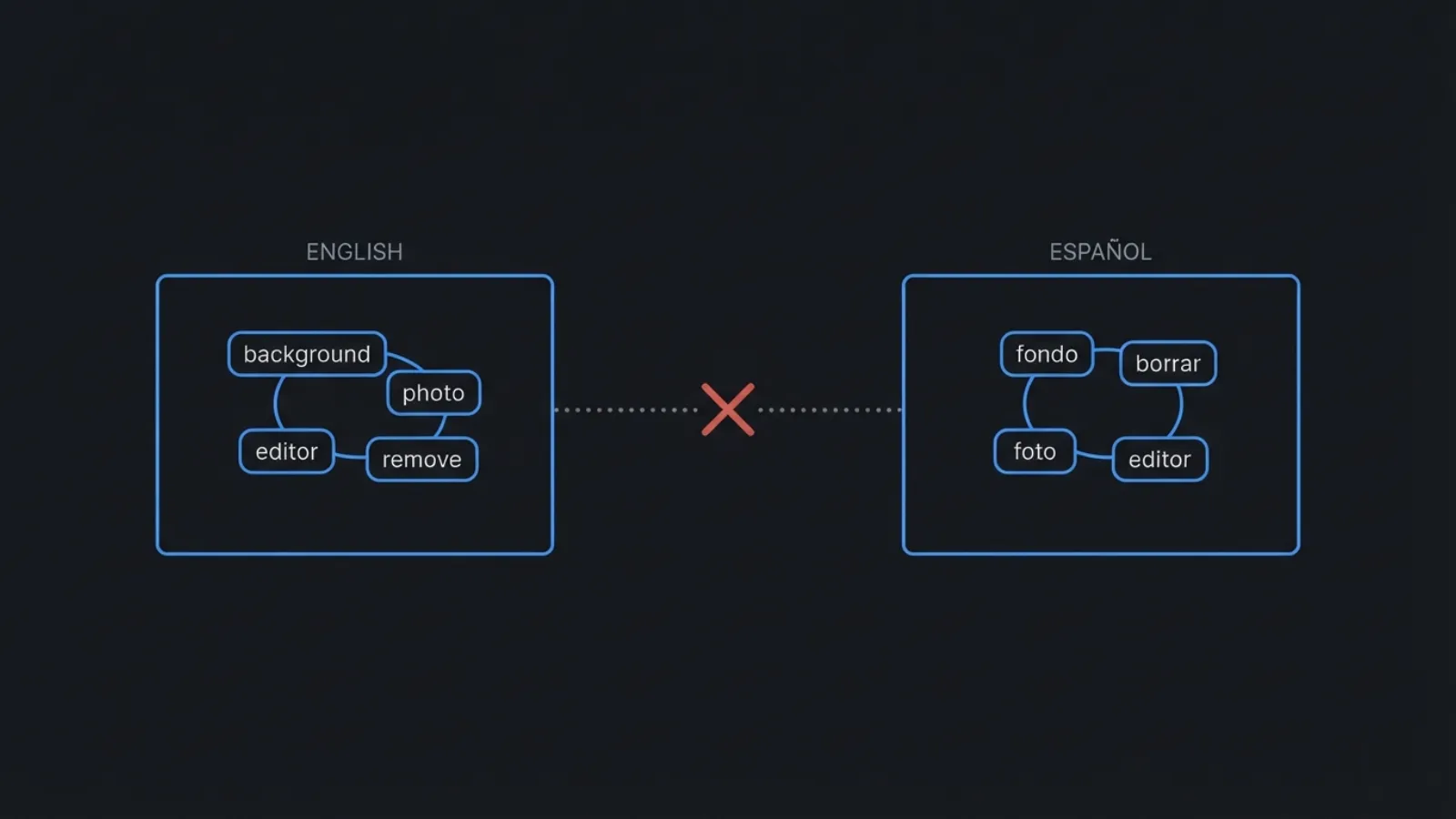
There’s one rule you have to respect, and knowing it is what separates people who’ve actually run this on live apps from people repeating blog posts: combinations do not merge across localizations. If “background” lives in your English fields and “eraser” lives in your Spanish fields, you will not rank for “background eraser.” Apple combines words within a localization, not across them.
So keep any multi-word query you’re actually targeting inside a single localization. Use the second localization for a different cluster of intent, or for the other language your users genuinely search in.
The free tool sitting in your pocket
Now the part that actually changes how you pick words.
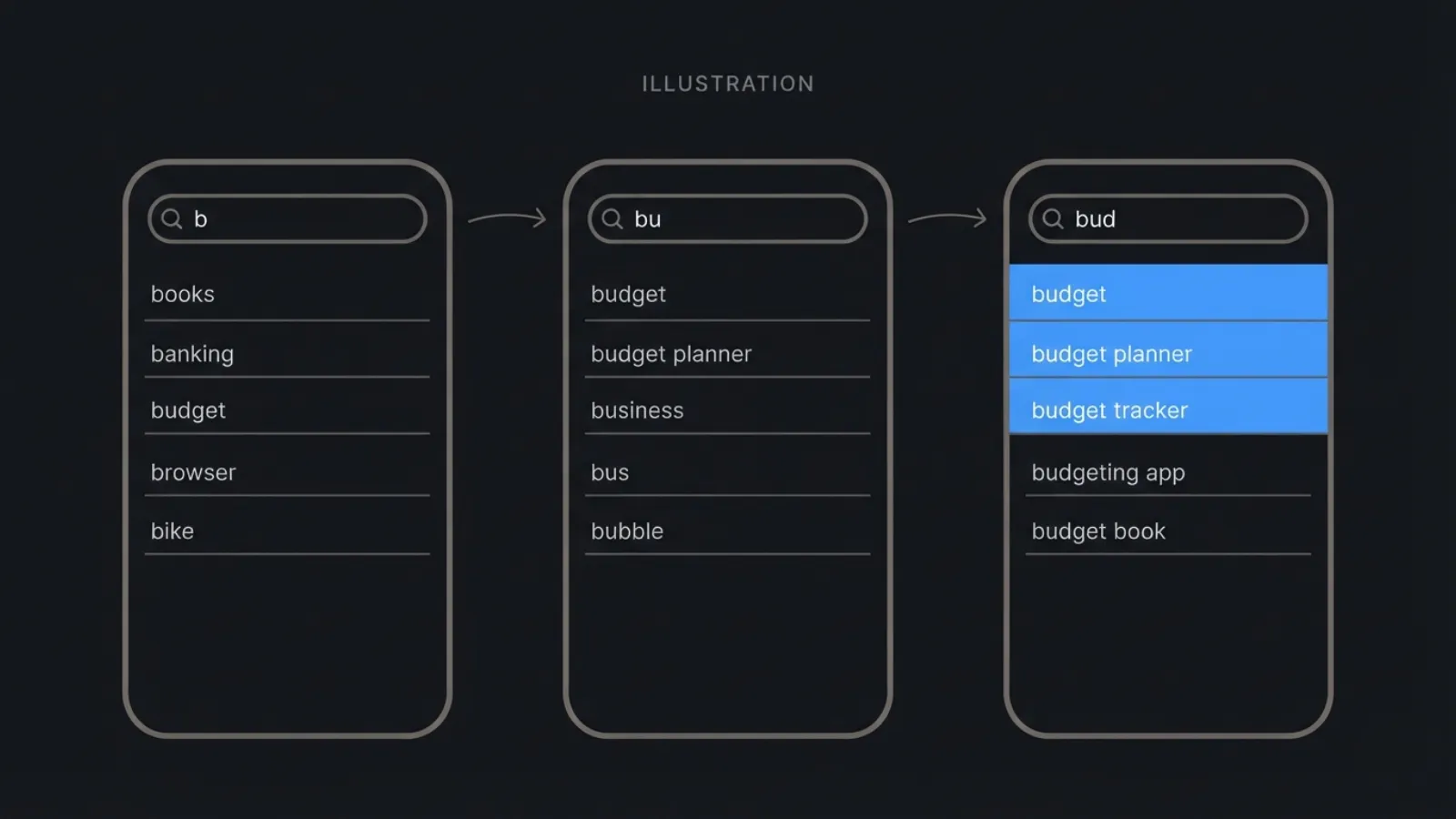
Open the App Store on your phone. Tap search. Type one letter of your category — “b” if you’re in budgeting, “t” if you’re in tattoos. Look at the dropdown.
That list is not alphabetical and it is not random. Those suggestions are ordered by Apple’s own internal popularity score, drawn from what real users actually type. You are looking at ranked query volume data, from the source, for free.
Type a second letter. A third. Watch the list re-rank. Do it in every storefront you ship to — the results are completely different per country, and the differences are often the opposite of what you’d guess.
People pay $150 to $200 a month for tools that scrape exactly this. You can harvest a solid keyword list in twenty minutes with your thumb.
The important clarification: you cannot get yourself into that dropdown by stuffing your app name. Those suggestions come from aggregate user search volume, not from scanning individual apps’ metadata. A phrase appears there because thousands of people typed it, not because you wrote it in your subtitle.
So don’t treat autosuggest as something to manipulate. Treat it as reconnaissance. It tells you which phrases have real demand. Your job is to be indexed for the ones that do.
If you’ve seen the claim that appearing in suggestions gets you “40% more clicks” — I went looking for the source. Apple hasn’t published it. Neither has any major ASO vendor. It’s a number that circulates without a home. Ignore it; you don’t need it. Apple’s 65%-of-downloads figure is bigger and real.
Where this goes wrong
Two failure modes, both avoidable.
Rejection. App Review Guideline 2.3.7 exists specifically to stop keyword stuffing: choose a unique name, use keywords that accurately describe your app, and don’t pack metadata with trademarked terms, popular app names, or irrelevant phrases to game the system. Names like “Photo Editor Collage Maker Beauty Camera Filter” get flagged. Competitor brand names in your subtitle get flagged. Devs have been rejected over the word “Free.”
The rule of thumb: your title and subtitle must read like something a human wrote. The keyword field is where the un-pretty optimization lives — it’s invisible to users, and that’s the point.
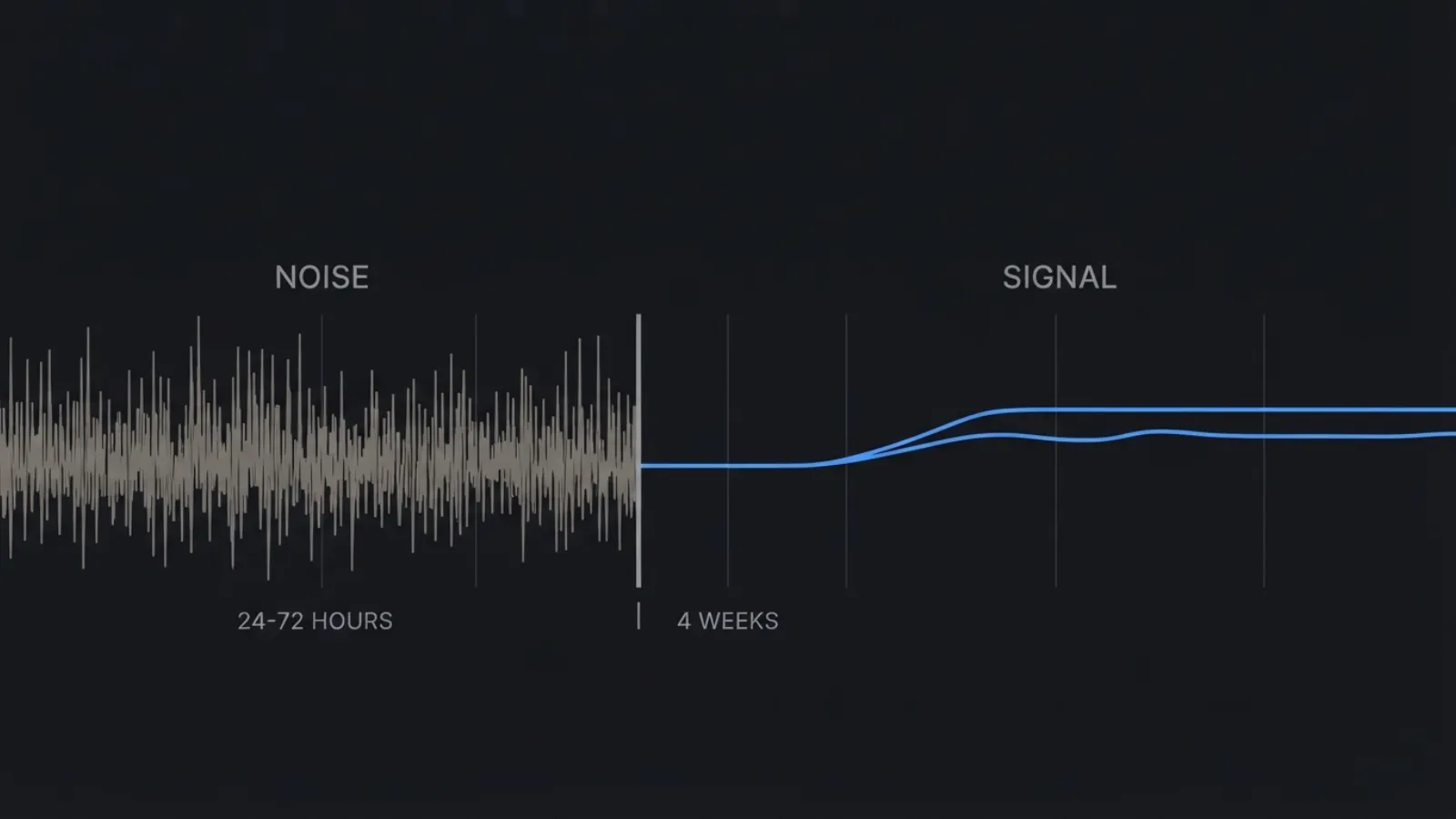
Impatience. You will see ranking movement within 24 to 72 hours of a metadata change. You will not see the truth for about four weeks. Rankings need time to stabilize before the data means anything, and every change to an indexed field restarts that clock.
Two constraints worth knowing before you plan a test. First, title, subtitle, and keyword field changes require a new version submission — only promotional text can be changed without one. Second, Product Page Optimization cannot A/B test text. It tests icons, screenshots, and previews only. There is no native way to split-test your app name. You change it, you wait, you compare periods. That’s observational, not experimental, and you should hold your conclusions loosely.
Do this tonight
- Open App Store Connect. Copy your title, subtitle, and keyword field into a text file.
- Delete every word in the keyword field that already appears in the title or subtitle.
- Break every remaining multi-word phrase into single words. Remove spaces after commas. Remove plurals.
- Open the App Store on your phone. Type your category letter by letter in each storefront you ship to. Write down every suggestion that’s relevant.
- Fill the reclaimed characters with the highest-volume words from step 4 that aren’t already covered.
- Check whether your secondary localizations are empty. If they are, that’s your next afternoon.
- Ship it. Then don’t touch it for four weeks.
None of this is a growth hack. It’s closer to plumbing — unglamorous, mostly invisible, and the reason the whole thing either flows or doesn’t. The advantage isn’t that this information is secret. It’s that most people won’t spend the ninety minutes.
Your competitors are currently paying for three copies of the word “daily.”
If you’d rather have someone run this pass on your app — the audit, the keyword set, the localization plan — that’s the work I do.
Sources
- Apple Ads — App Store search statistics (70% / 65%, footnoted by Apple to 2022 App Store data)
- App Store Review Guidelines 2.3.7 — metadata and keyword rules
- App Store search — the fields Apple uses for text relevance
- Product Page Optimization overview — what can and cannot be tested
- App Store product page — promotional text can be updated without a new version