Bu sayfada
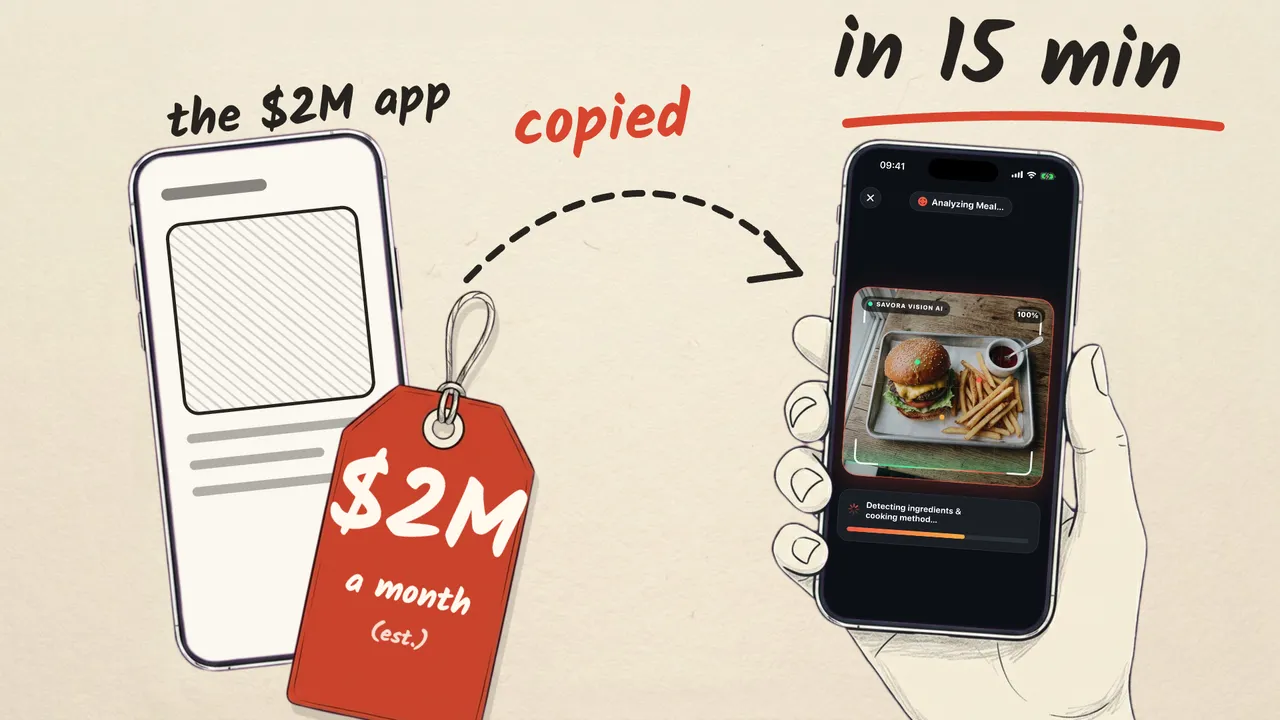
App Store’da zaten para kazanan beş uygulamayı bir video için Gemini 4 Argon’a yeniden yaptırdım. Aşağıda her prompt gönderildiği haliyle, üç düzeltme promptu dahil. Promptlar İngilizce, çünkü modele öyle gönderildi. Gelir rakamları orijinal uygulamaların tahminleri, bu kopyaların değil.
Promptlar nasıl çalışıyor
Her promptun üç parçası var, sadece ortadaki değişiyor:
- Giriş (beşinde aynı): küçük bir SwiftUI iPhone uygulaması yap, sadece listelenen ekranlar, çok iyi görünsün, soru sorma.
- Uygulama spec’i: tek satırda konsept, ekranlar ve gerçek fiyatlarıyla paywall.
- Teknik kurallar (beşinde aynı): sadece Swift dosyaları, birebir derleme komutu, yerel veri, izin yok, StoreKit’siz paywall, kayıt için açılış argümanları, özgün isim ve marka.
Skor: 5/5 ilk denemede derlendi · 8 prompt · ilk sürümler 11 ile 18 dakika · yaklaşık 7,19 $ API karşılığı.
1. Aurea: günlük olumlamalar
Kopyaladığı: I am, ayda 200K+ $ (tahmini). Süre: 11:28, 2 prompt. Paywall: 3 gün ücretsiz deneme, sonra yıllık 29,99 $. Anahtar kelime: “affirmations”.
- prompt (birebir gönderilen):
Build an iPhone app in SwiftUI, in this folder. It's for a short video, so keep it small (only the screens
listed below) and make every screen look stunning and feel alive: bold visuals, smooth motion, satisfying
micro-interactions. Don't ask me questions; make reasonable choices.

Concept: a daily affirmations app. One affirmation at a time, full screen, on a beautiful animated
background; swipe up for the next one.

Screens:
1. Onboarding, 3 quick steps: name, focus areas as tappable chips (self-love, confidence, calm, gratitude,
   motivation, career), daily reminder time. End with an animated "Preparing your affirmations" moment,
   then the paywall.
2. Feed: vertical full-screen paging through at least 40 built-in affirmations, some with the user's name.
   At least 6 animated background themes drawn in code. A heart with a burst animation, and share.
3. Paywall: a 3-day free trial, then $29.99/year (preselected, "Best value"), or $7.99/month, or $59.99
   lifetime. An animated trial timeline (Today: full access → Day 2: we remind you → Day 3: billing starts)
   and "Cancel anytime". Closing it keeps the free tier with 2 themes; locked themes open the paywall.

Technical rules:
- Swift files only, all in this folder; one of them contains the @main App struct. iOS 17+, iPhone
  portrait, SwiftUI and Apple frameworks only. No external packages, no Xcode project, no app extensions
  (so no widgets), no SwiftData.
- The app is compiled with exactly this command, so make sure it succeeds before you finish:
  xcrun --sdk iphonesimulator swiftc -parse-as-library -target arm64-apple-ios17.0-simulator -sdk "$(xcrun --sdk iphonesimulator --show-sdk-path)" *.swift -o /tmp/app-check
- Store data locally (UserDefaults or JSON files in Documents). No accounts, no backend of your own.
- The Info.plist is generic and has no privacy usage strings: use PhotosPicker and ShareLink, and don't
  request camera, Photos library or location permissions.
- Paywall: real-app quality, but no StoreKit. Prices are static text. The purchase button unlocks Pro
  locally (a demo purchase). Include "Restore Purchases", "Terms" and "Privacy" buttons.
- Launch arguments, for recording: -resetState YES starts as a brand-new user (onboarding again);
  -demoData YES fills the app with realistic sample data so every screen looks lived-in; -pro YES starts
  with Pro unlocked.
- Give the app its own original name, logo mark and color palette. Don't copy any existing app's name or
  branding. Don't show ratings, reviews, user counts or testimonials.
- Make it feel premium: consistent typography and spacing, smooth transitions, tasteful animations,
  haptics on key actions, light and dark mode. Nothing under the notch or the home indicator.

When you're done, run the build command and fix any errors. Then tell me in a few lines what you built.- prompt, düzeltme. Tema adı iki satıra kayıyordu.
In the feed, the theme button at the bottom left wraps the theme name onto two lines ("Solari / s Silk"). Keep theme names on one line everywhere (shrink slightly or truncate gracefully). Then run the same build command and fix any errors.2. Kairo: aralıklı oruç zamanlayıcısı
Kopyaladığı: Zero, ayda 200K+ $ (tahmini). Süre: 18:24, 1 prompt. Paywall: zamanlayıcı ücretsiz; Pro aylık 9,99 $ ya da 7 günlük denemeyle yıllık 59,99 $. Anahtar kelime: “fasting”.
- prompt (birebir gönderilen):
Build an iPhone app in SwiftUI, in this folder. It's for a short video, so keep it small (only the screens
listed below) and make every screen look stunning and feel alive: bold visuals, smooth motion, satisfying
micro-interactions. Don't ask me questions; make reasonable choices.

Concept: an intermittent fasting timer.

Screens:
1. Home: a large animated progress ring with elapsed and remaining time. Fasting stages light up along the
   ring as time passes (blood sugar dropping, fat burning, ketosis, autophagy) at their commonly cited hour
   marks, each with a one-line description and a small "general information, not medical advice" note.
   Start / End fast button, and a confetti celebration when a fast is completed. Plan chips: 13:11 and 16:8
   free; 18:6, 20:4, OMAD and 36h locked (Pro).
2. History: a weekly bar chart of hours fasted (Swift Charts) and a streak card.
3. Paywall (freemium): $9.99/month, or $59.99/year with a 7-day free trial (preselected). It opens from a
   locked plan or an upsell card on Home. Never block the core timer.
-demoData YES: a 16:8 fast in progress at about 14 hours, plus two weeks of history.

Technical rules:
- Swift files only, all in this folder; one of them contains the @main App struct. iOS 17+, iPhone
  portrait, SwiftUI and Apple frameworks only. No external packages, no Xcode project, no app extensions
  (so no widgets), no SwiftData.
- The app is compiled with exactly this command, so make sure it succeeds before you finish:
  xcrun --sdk iphonesimulator swiftc -parse-as-library -target arm64-apple-ios17.0-simulator -sdk "$(xcrun --sdk iphonesimulator --show-sdk-path)" *.swift -o /tmp/app-check
- Store data locally (UserDefaults or JSON files in Documents). No accounts, no backend of your own.
- The Info.plist is generic and has no privacy usage strings: use PhotosPicker and ShareLink, and don't
  request camera, Photos library or location permissions.
- Paywall: real-app quality, but no StoreKit. Prices are static text. The purchase button unlocks Pro
  locally (a demo purchase). Include "Restore Purchases", "Terms" and "Privacy" buttons.
- Launch arguments, for recording: -resetState YES starts as a brand-new user (onboarding again);
  -demoData YES fills the app with realistic sample data so every screen looks lived-in; -pro YES starts
  with Pro unlocked.
- Give the app its own original name, logo mark and color palette. Don't copy any existing app's name or
  branding. Don't show ratings, reviews, user counts or testimonials.
- Make it feel premium: consistent typography and spacing, smooth transitions, tasteful animations,
  haptics on key actions, light and dark mode. Nothing under the notch or the home indicator.

When you're done, run the build command and fix any errors. Then tell me in a few lines what you built.
3. Tessera: alışkanlık takibi
Kopyaladığı: HabitKit, ayda 20K+ $ (tahmini), tek geliştirici. Süre: 15:04, 2 prompt. Paywall: ömür boyu 24,99 $, tek seferlik ödeme. Anahtar kelime: “habit tracker”.
- prompt (birebir gönderilen):
Build an iPhone app in SwiftUI, in this folder. It's for a short video, so keep it small (only the screens
listed below) and make every screen look stunning and feel alive: bold visuals, smooth motion, satisfying
micro-interactions. Don't ask me questions; make reasonable choices.

Concept: a habit tracker built around streaks; every habit shows its history as a grid of colored squares
(like a contribution graph).

Screens:
1. Home: habit cards, each with an icon, its color, the name, a one-tap complete button with a satisfying
   animation and haptic, the current streak with a flame, and a grid of the last 20 weeks.
2. Add habit sheet: name, SF Symbol icon grid, color palette.
3. Paywall: free users get 3 habits; adding a 4th opens it. Lifetime $24.99 (preselected, "Pay once, yours
   forever"), or $14.99/year, or $2.99/month.
-demoData YES: 3 habits with months of colorful history.

Technical rules:
- Swift files only, all in this folder; one of them contains the @main App struct. iOS 17+, iPhone
  portrait, SwiftUI and Apple frameworks only. No external packages, no Xcode project, no app extensions
  (so no widgets), no SwiftData.
- The app is compiled with exactly this command, so make sure it succeeds before you finish:
  xcrun --sdk iphonesimulator swiftc -parse-as-library -target arm64-apple-ios17.0-simulator -sdk "$(xcrun --sdk iphonesimulator --show-sdk-path)" *.swift -o /tmp/app-check
- Store data locally (UserDefaults or JSON files in Documents). No accounts, no backend of your own.
- The Info.plist is generic and has no privacy usage strings: use PhotosPicker and ShareLink, and don't
  request camera, Photos library or location permissions.
- Paywall: real-app quality, but no StoreKit. Prices are static text. The purchase button unlocks Pro
  locally (a demo purchase). Include "Restore Purchases", "Terms" and "Privacy" buttons.
- Launch arguments, for recording: -resetState YES starts as a brand-new user (onboarding again);
  -demoData YES fills the app with realistic sample data so every screen looks lived-in; -pro YES starts
  with Pro unlocked.
- Give the app its own original name, logo mark and color palette. Don't copy any existing app's name or
  branding. Don't show ratings, reviews, user counts or testimonials.
- Make it feel premium: consistent typography and spacing, smooth transitions, tasteful animations,
  haptics on key actions, light and dark mode. Nothing under the notch or the home indicator.

When you're done, run the build command and fix any errors. Then tell me in a few lines what you built.- prompt, düzeltme. Bir etiket ızgaranın üstüne biniyordu; renk adları kesiliyordu.
Two layout fixes:
1. On each habit card, the "LAST 20 WEEKS" label overlaps the last month label ("Oct"). Fix the header row above the grid so nothing overlaps.
2. In the New Habit sheet, the color names in the palette are truncated ("E…", "In…"). Show the full names, or show only the color swatches.
Then run the same build command and fix any errors.
4. Savora: fotoğraftan kalori
Kopyaladığı: Cal AI, ayda ~2M $ (tahmini). Süre: 15:32, 2 prompt. Paywall: tarama ücretli özellik: 3 gün deneme, sonra yıllık 29,99 $. Anahtar kelime: “calorie tracker”.
- prompt (birebir gönderilen):
Build an iPhone app in SwiftUI, in this folder. It's for a short video, so keep it small (only the screens
listed below) and make every screen look stunning and feel alive: bold visuals, smooth motion, satisfying
micro-interactions. Don't ask me questions; make reasonable choices.

Concept: take a photo of a meal and get its calories and macros from AI.

Screens:
1. Onboarding, 4 quick steps: goal (lose, maintain, gain), sex and age, height and weight, activity level.
   Then an animated "Your plan is ready" screen with the daily calorie target (Mifflin-St Jeor) and protein /
   carbs / fat targets. Then the paywall.
2. Home: a calorie ring, three macro bars, today's meals with photo thumbnails, a big scan button.
3. Scan: pick a photo with PhotosPicker → a scanning animation over the photo → a result card with the
   dish name, calories, protein, carbs, fat, ingredients, portion, confidence and note → add to today.
   The analysis comes from meal-results.json in this folder (bundled at the app root; load it with
   Bundle.main). It holds real AI results for the photos meal-1.jpg … meal-4.jpg, also in this folder. Show
   the next result from the file in order (1, 2, 3, 4, then again from 1), with the picked photo as the
   thumbnail. Keep this behind one small protocol so a live AI service could replace it. No network calls.
4. Paywall: scanning is the paid feature. A 3-day free trial, then $29.99/year (preselected) or $9.99/month.
-demoData YES: today with two of the bundled meals already logged.

Technical rules:
- Swift files only, all in this folder; one of them contains the @main App struct. iOS 17+, iPhone
  portrait, SwiftUI and Apple frameworks only. No external packages, no Xcode project, no app extensions
  (so no widgets), no SwiftData.
- The app is compiled with exactly this command, so make sure it succeeds before you finish:
  xcrun --sdk iphonesimulator swiftc -parse-as-library -target arm64-apple-ios17.0-simulator -sdk "$(xcrun --sdk iphonesimulator --show-sdk-path)" *.swift -o /tmp/app-check
- Store data locally (UserDefaults or JSON files in Documents). No accounts, no backend of your own.
- The Info.plist is generic and has no privacy usage strings: use PhotosPicker and ShareLink, and don't
  request camera, Photos library or location permissions.
- Paywall: real-app quality, but no StoreKit. Prices are static text. The purchase button unlocks Pro
  locally (a demo purchase). Include "Restore Purchases", "Terms" and "Privacy" buttons.
- Launch arguments, for recording: -resetState YES starts as a brand-new user (onboarding again);
  -demoData YES fills the app with realistic sample data so every screen looks lived-in; -pro YES starts
  with Pro unlocked.
- Give the app its own original name, logo mark and color palette. Don't copy any existing app's name or
  branding. Don't show ratings, reviews, user counts or testimonials.
- Make it feel premium: consistent typography and spacing, smooth transitions, tasteful animations,
  haptics on key actions, light and dark mode. Nothing under the notch or the home indicator.

When you're done, run the build command and fix any errors. Then tell me in a few lines what you built.- prompt, düzeltme. Örnek fotoğraf başka fotoğrafın sonucunu alıyordu (benim spec’imin hatası: sabit sıra istemiştim); bir sayı iki satıra kayıyordu.
Three fixes:
1. Scan results must match the photo. When the user taps a quick sample photo, show that photo's own entry from meal-results.json (the entry whose "image" is that file name). For a photo picked from the library, compare it with the four bundled meal photos (for example, downscale both to a small size and compare pixels) and use the closest match's entry. Remove the fixed 1-2-3-4 order.
2. On the result card, the calorie number wraps onto two lines ("62" / "0"). Keep numbers on one line everywhere.
3. With -demoData YES, meal times should look natural (breakfast around 8:30, lunch around 12:45) no matter what time it is now.
Then run the same build command and fix any errors.
5. Atrio: AI ile oda yeniden tasarımı
Kopyaladığı: kendi uygulamam Homiva’nın kategorisi (rakam yok). Süre: 15:57, 1 prompt. Paywall: ilk tasarım ücretsiz, sonra haftalık 4,99 $ ya da yıllık 39,99 $. Anahtar kelime: “room design”.
- prompt (birebir gönderilen):
Build an iPhone app in SwiftUI, in this folder. It's for a short video, so keep it small (only the screens
listed below) and make every screen look stunning and feel alive: bold visuals, smooth motion, satisfying
micro-interactions. Don't ask me questions; make reasonable choices.

Concept: take a photo of a room, pick a style, and get an AI redesign of the same room.

Screens:
1. Home: a big "Redesign a room" button and a style gallery.
2. Flow: pick a photo (PhotosPicker) → pick a style: Japandi, Scandinavian, Industrial, Mid-century, Boho,
   Coastal, each with its image as thumbnail → a generating animation over the photo (4-5 seconds) → the
   result with a draggable before/after slider, share (ShareLink) and "Try another style".
   The redesigns come from this folder: style-japandi.jpg, style-scandinavian.jpg, style-industrial.jpg,
   style-midcentury.jpg, style-boho.jpg and style-coastal.jpg are real AI redesigns of before.jpg; show the
   one for the chosen style. Keep this behind one small protocol so a live AI service could replace it.
   No network calls.
3. Paywall: the first redesign is free, then Weekly $4.99 or Yearly $39.99 (preselected, "Save 80%", shown
   as $0.77/week). Use before.jpg and after.jpg (a real before/after) in the paywall.
Load images with UIImage(named: "before.jpg") wrapped in Image(uiImage:).

Technical rules:
- Swift files only, all in this folder; one of them contains the @main App struct. iOS 17+, iPhone
  portrait, SwiftUI and Apple frameworks only. No external packages, no Xcode project, no app extensions
  (so no widgets), no SwiftData.
- The app is compiled with exactly this command, so make sure it succeeds before you finish:
  xcrun --sdk iphonesimulator swiftc -parse-as-library -target arm64-apple-ios17.0-simulator -sdk "$(xcrun --sdk iphonesimulator --show-sdk-path)" *.swift -o /tmp/app-check
- Store data locally (UserDefaults or JSON files in Documents). No accounts, no backend of your own.
- The Info.plist is generic and has no privacy usage strings: use PhotosPicker and ShareLink, and don't
  request camera, Photos library or location permissions.
- Paywall: real-app quality, but no StoreKit. Prices are static text. The purchase button unlocks Pro
  locally (a demo purchase). Include "Restore Purchases", "Terms" and "Privacy" buttons.
- Launch arguments, for recording: -resetState YES starts as a brand-new user (onboarding again);
  -demoData YES fills the app with realistic sample data so every screen looks lived-in; -pro YES starts
  with Pro unlocked.
- Give the app its own original name, logo mark and color palette. Don't copy any existing app's name or
  branding. Don't show ratings, reviews, user counts or testimonials.
- Make it feel premium: consistent typography and spacing, smooth transitions, tasteful animations,
  haptics on key actions, light and dark mode. Nothing under the notch or the home indicator.

When you're done, run the build command and fix any errors. Then tell me in a few lines what you built.
Kendi uygulaman için kullan
Girişi ve teknik kuralları koru, konsepti ve ekranları kendininkiyle değiştir. En büyük farkı iki şey yarattı: sadece gereken ekranları listelemek ve paywall’u (model ve fiyatlar) sonraya bırakmayıp spec’e yazmak.
Sık sorulan sorular
Hangi model ve araç kullanıldı?
Google'ın Antigravity CLI'ında Gemini 4 Argon (gemini-4-argon-high), her uygulama için yeni bir klasör. Her prompt bir kez gönderildi; Gemini soru sorsaydı cevap Your call olacaktı.
Kodu biri düzenledi mi?
Hayır. Her düzeltme Gemini'ye prompt olarak gitti ve o promptlar bu sayfada. Videoda gördüğün Gemini'nin kodu.
AI özellikleri canlı bir API çağırıyor mu?
Hayır. Kalori ve oda uygulamaları için yemek analizlerini ve oda tasarımlarını Gemini 4 önceden, ekranda kullanılan aynı fotoğraflarla üretti. Uygulamalar bu gerçek çıktıları küçük bir protokolün arkasındaki dosyadan yüklüyor; canlı bir AI servisi kolayca yerine geçebilir.
Gelir rakamları gerçek mi?
Bunlar bu kopyaların değil, orijinal uygulamaların tahmini gelirleri: her biri için Sensor Tower artı ikinci bir kaynak (AppGoblin, apprank, HabitKit kurucusunun 2025 özeti, Cal AI için Appfigures ve TechCrunch). Homiva benim uygulamam, bu yüzden rakam vermiyorum.